
Moonlight Quest PC Requirements
Official Winx Club Moonlight Quest PC requirements: minimum and recommended CPU, RAM, GPU, DirectX and 8 GB storage, plus upgrade advice for laptops.
Quick answer: Minimum: Windows 10, 5th-gen Intel Core i5 or equivalent, 8 GB RAM, GTX 1060 or equivalent, DirectX 11, 8 GB storage. Recommended: Windows 10+, 8th-gen i5, 16 GB RAM, RTX 2060, DirectX 11, 8 GB storage.
The requirements are moderate by 2026 standards. A GTX 1060 is an older mid-range card, and 8 GB of RAM is the floor most modern games assume. The recommended RTX 2060 suggests the game benefits from newer GPU features but does not require a high-end card.
This page breaks down what each line means, whether your laptop can run it, and where to upgrade first.
For handheld performance, see Steam Deck→. For fixes, read low FPS→.
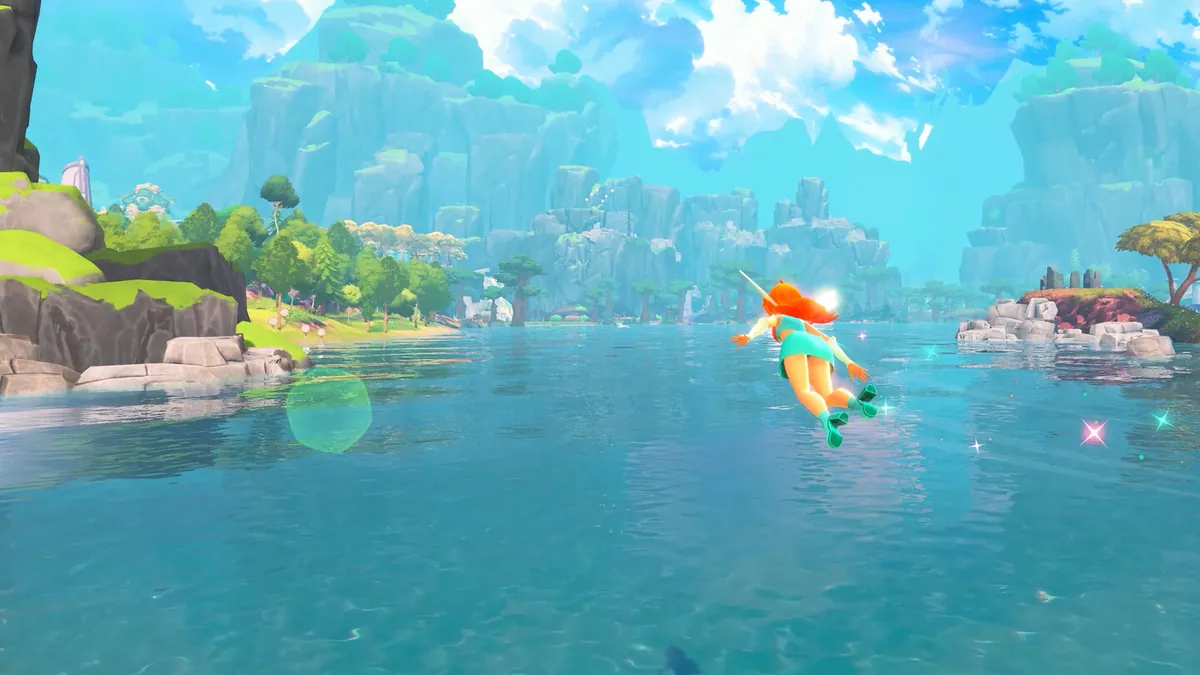

Official system requirements
Minimum
| Component | Requirement |
|---|---|
| OS | Windows 10 |
| CPU | 5th-gen Intel Core i5 or equivalent |
| RAM | 8 GB |
| GPU | NVIDIA GTX 1060 or equivalent |
| DirectX | 11 |
| Storage | 8 GB |
Recommended
| Component | Requirement |
|---|---|
| OS | Windows 10 or newer |
| CPU | 8th-gen Intel Core i5 |
| RAM | 16 GB |
| GPU | NVIDIA RTX 2060 |
| DirectX | 11 |
| Storage | 8 GB |
The store does not list AMD equivalents, resolution targets or frame-rate targets. Those are important gaps; a "minimum" spec can mean 720p/30 or 1080p/30 depending on the game.
An 8 GB install is modest for an open-world game. Expect the download to be smaller than the installed size due to compression, but keep at least 12 GB free for patches and shader caches.
What the CPU requirement means
"5th-gen Intel Core i5" covers a wide range, from the i5-4460 era to mobile U-series chips. The key question is not the generation but the core count and clock speed.
Rough guidance:
- Desktop i5 from 2015 or later — likely fine at minimum settings.
- Modern 4-core i3 — may match an older i5 in games; test with the benchmark.
- Laptop U-series i5 — often thermally limited. It may meet the spec on paper but throttle in long sessions.
- Older dual-core — below minimum.
AMD equivalents: a Ryzen 3 1200 or better is in the same class as the minimum i5. A Ryzen 5 2600 or better matches the recommended tier.
What the GPU requirement means
The GTX 1060 is the minimum, and the RTX 2060 is recommended. That is a noticeable jump, roughly 50–70% more performance plus newer features.
In practice:
- GTX 1060 6 GB — playable at 1080p with medium settings, likely 30–60 FPS.
- GTX 1650 / 1660 — similar or slightly better than the 1060 depending on the model.
- RTX 2060 / 3060 — comfortable at 1080p high.
- RTX 4060 and up — high frame rates at 1080p, possibly 1440p.
- Integrated graphics — below minimum, but some modern iGPUs can run at low settings. Do not expect a good experience.
The 4 GB VRAM on a GTX 1050 Ti is below the 1060's 6 GB. VRAM matters for texture quality.
RAM: 8 GB versus 16 GB
8 GB is the minimum, but Windows itself uses 3–4 GB. That leaves 4–5 GB for the game, which is tight in an open world.
If you have 8 GB:
- Close browsers and launchers before playing.
- Set a fixed page file of 8–16 GB.
- Lower texture quality if you see stutter.
If you have 16 GB, you are at the recommended tier. A 32 GB upgrade will not improve frame rate much, but it helps with multitasking.
Storage: SSD strongly recommended
The requirement says 8 GB, not the drive type. For an open-world flight game, an SSD is the single biggest quality-of-life upgrade:
- Faster loading between regions.
- Less texture streaming stutter.
- Quicker shader compilation on first launch.
A SATA SSD is enough. NVMe is better but not required.
Can my laptop run it?
Laptop GPUs are weaker than their desktop namesakes. A "RTX 2060 laptop" is closer to a desktop GTX 1660 Ti. A "GTX 1060 laptop" is closer to a 1050 Ti.
Check these before buying:
- GPU model with wattage. A 3060 at 130 W outperforms a 3070 at 80 W in thin laptops.
- Cooling. Long flight sessions heat-soak thin chassis.
- RAM soldered? 8 GB soldered cannot be upgraded.
- Display resolution. 4K laptop screens force lower settings.
If your laptop is borderline, buy on Steam and use the two-hour refund window to test performance.
Settings to change first
If the game runs but feels heavy:
- Resolution — 1080p is the sweet spot.
- Shadows — high impact, low visual loss at medium.
- Draw distance — important for flight, but expensive.
- Anti-aliasing — TAA is cheaper than supersampling.
- Texture quality — lower if VRAM is tight.
- Motion blur — off for clarity.
The low FPS guide→ has a full troubleshooting order.
FAQ
Can a GTX 1060 run Moonlight Quest? Yes, it is the minimum GPU. Expect 1080p at medium settings, not maximum.
Is 8 GB RAM enough? It meets the minimum, but 16 GB is safer for an open-world game.
How big is the download? The install is 8 GB. The download size is unconfirmed but likely smaller.
Does it require DirectX 12? No. The requirement lists DirectX 11.
Sources
- Winx Club - Moonlight Quest on Steam ↗ — official PC requirements.
- PlayStation Store listing ↗ — console versions.
- Balio Studio ↗ — developer site.
- Gematsu game page ↗ — independent summary.
Official source: Steam system requirements checked November 17, 2026. Resolution and frame-rate targets are not officially confirmed.