
Moonlight Quest Difficulty Guide
Moonlight Quest difficulty: confirmed adjustable settings, who each option suits, accessibility tags and whether difficulty affects completion.
Quick answer: Moonlight Quest has adjustable difficulty, according to its Steam feature list. It also carries "Playable at your own pace" and "Playable without Timed Input" tags, which suggests a forgiving design. The exact settings and whether difficulty affects achievements are not confirmed.
Difficulty is a family-game design problem. The same boss has to challenge an adult and remain passable for a child. Most games solve this with a simple easy/normal/hard menu and generous checkpoints. Moonlight Quest's Steam tags suggest the developers thought about accessibility beyond a menu.
This page explains what the tags mean, how to choose a setting, and how to change it later.
For controls, see the controls guide→. For first-hour advice, read the beginner guide→.
Confirmed difficulty information
The Steam page lists:
- Adjustable Difficulty — the game has a difficulty setting.
- Playable at your own pace — no forced urgency in the core loop.
- Playable without Timed Input — quick-time events can be completed without fast reactions or can be disabled.
- Full controller support and Gamepad Recommended — input is designed around a controller.
It does not list difficulty names, damage multipliers, enemy behavior changes or achievement requirements.
This tag usually means the game offers an option to remove or slow QTE prompts. It is an accessibility feature, not a difficulty setting. Look for it in the accessibility menu, not the gameplay menu.
The likely difficulty options
Most games in this genre offer three or four presets:
| Setting | Likely behavior | Who it suits |
|---|---|---|
| Story / Easy | Lower enemy damage, generous health, slower attacks | Younger players, story-focused players |
| Normal | Standard damage and enemy aggression | Most first-time players |
| Hard | Higher damage, more aggressive enemies | Players who want combat to matter |
| Custom | Sliders for damage, timing, hints | Players with specific needs |
The actual names may differ. Some games use "Relaxed", "Adventure" and "Challenge" to fit the tone.
How to choose a setting
Ask three questions:
- Who is playing? A child under ten usually benefits from the easiest setting, especially in combat with camera control.
- Why are you playing? For the story and flight, choose easy. For combat mastery, choose normal or hard.
- How much time do you have? Hard modes add retries, which add hours.
A good default is normal for adults and easy for younger children. You can raise it later if the game allows mid-game changes.
Can you change difficulty mid-game?
Not confirmed. Many modern games allow it; some lock it to prevent achievement cheese. Check the options menu after the tutorial.
If difficulty is locked, the choice matters more. Pick the lower setting if you are unsure. A too-easy game is less frustrating than a too-hard one you cannot finish.
Does difficulty affect achievements?
Unknown. Watch for:
- Achievements that say "on Hard" or "without changing difficulty".
- Completion percentages that scale with difficulty.
- Multiplayer rewards that differ by setting.
If no achievement mentions difficulty, the setting is probably free to change.
Accessibility features to look for
The Steam tags are a good sign. Check the settings for:
- QTE assistance or "hold instead of tap".
- Camera shake toggle.
- Subtitles and speaker labels.
- Text size options.
- Colorblind modes.
- Aim assist.
- Reduced motion.
- Difficulty sliders.
A family game should offer most of these. If a feature is missing, the platform's system-level accessibility settings may help.
Difficulty and combat tips
Regardless of setting:
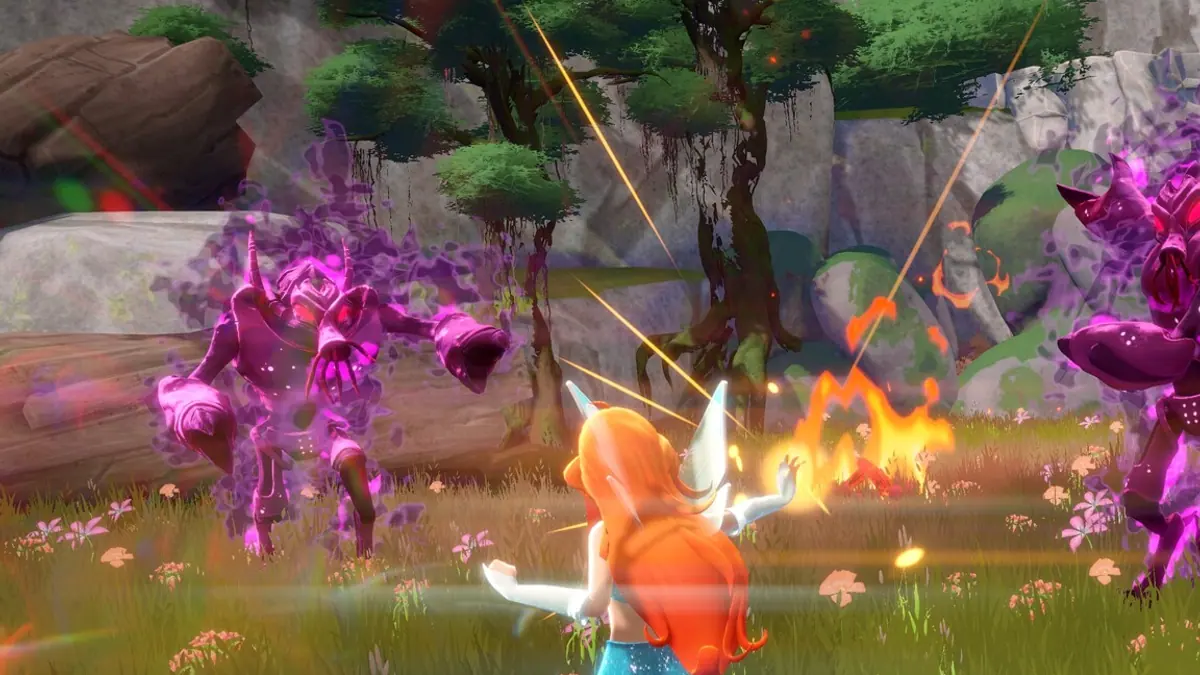
- Transform before a fight. Fairy form is probably stronger.
- Use vertical space. Flight lets you disengage and reposition.
- Fight in open areas. Camera and dodge space matter.
- Learn the dodge timing. Most damage comes from standing still.
- Upgrade damage early. Offense shortens fights, which reduces damage taken.
If a boss feels impossible, lower the difficulty rather than grinding. The game is not designed to require a grind.
Difficulty and younger players
For a child playing alone:
- Choose the easiest setting.
- Enable QTE assistance.
- Turn on subtitles.
- Let them fly freely before pushing the story.
- Avoid backseat driving during puzzles; the game is meant to be explored.
For co-op with a child, let them control Bloom and handle the camera. You can coach without taking the controller.
If the game truly has no timed input requirement, you can stop and think in every encounter. Use that. Rushing is the main cause of avoidable deaths.
What difficulty does not change
Usually:
- Story content.
- Map size.
- Collectible locations.
- Character unlocks.
- Cutscenes.
If the game scales enemy health, it may also scale rewards. That is a balance choice, not a content difference.
FAQ
Does Moonlight Quest have difficulty settings? Yes. Steam lists "Adjustable Difficulty".
What is the easiest difficulty called? Not announced. Expect a story or relaxed preset.
Can you change difficulty later? Unconfirmed. Check the options menu.
Does difficulty affect trophies? Not confirmed. Read achievement descriptions at launch.
Sources
- Winx Club - Moonlight Quest on Steam ↗ — difficulty and accessibility tags.
- PlayStation Store listing ↗ — release details.
- Balio Studio ↗ — developer site.
- Gematsu game page ↗ — independent summary.
Official source: Steam feature list checked November 17, 2026. Difficulty names and achievement rules are not officially confirmed.