
Moonlight Quest Beginner Guide: First 5 Hours
Beginner guide for Winx Club Moonlight Quest: first-hour tips, flight and transformation basics, settings, difficulty and mistakes to avoid.
Quick answer: Spend your first session learning flight before you chase the story. Take off from Alfea's courtyard, practice low-altitude turns and landings, then follow the Festival mystery at your own pace. Change camera speed and invert settings before the first fight, transform early instead of saving it, and pick up every glowing collectible you pass.
Winx Club - Moonlight Quest is built around movement. The store describes free exploration and transformation at will, and the screenshots show Bloom crossing lakes, city rooftops and castle courtyards on wings. If you fight the controls for an hour, the story will feel worse than it is. If you spend twenty minutes learning to fly, every later objective becomes easier.
This guide is written for the launch build we have not played yet. It sticks to confirmed features and general open-world habits, and it labels assumptions. For the exact button map, see the controls guide→. For the story route, use the walkthrough→.
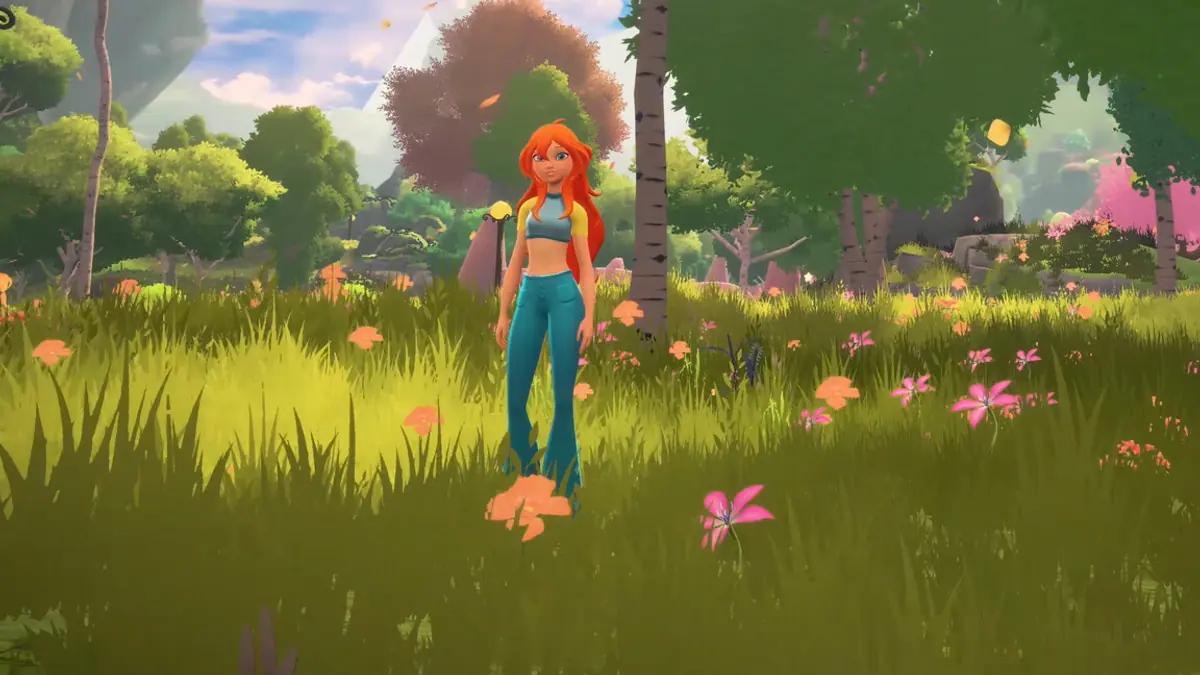
Before you press start: settings that save time
Open the settings menu before the tutorial ends. Three categories matter:
- Camera speed. Open-world flight games often ship with a slow camera that feels fine on foot and terrible in the air. Raise horizontal speed until a full turn takes about one second, not three.
- Invert Y. Decide now, not mid-boss. If you invert the camera for other games, invert it here before muscle memory forms.
- Subtitles and text size. The game is pitched at families and younger players; subtitle size options are common. Turn them on if anyone in the room is sharing the screen.
If the game offers difficulty selection at the start, you can usually change it later; Steam lists adjustable difficulty as a feature. Start on the default and lower it if combat frustrates a younger player. There is no shame in playing for the story.
Steam lists full controller support and recommends a gamepad. Connect and test yours before launch day. Keyboard and mouse may work, but the flight model is clearly designed around sticks.
Hour 1: learn to fly before you learn to fight
The opening area is your flight school whether the game calls it that or not. Do these five things in order:
- Take off and climb. Find an open patch of sky and hold altitude until you can see two landmarks at once. This teaches you the camera's relationship to the horizon.
- Fly a low circuit. Skim a courtyard or meadow at roof height. Low flight is harder than high flight because the ground rushes past; practice it where a crash costs nothing.
- Land on a small target. Pick a fountain, a rock or a rooftop and land on it. Repeat until you can do it without circling three times.
- Turn while descending. Most flight games feel bad when you combine these two inputs. Practice a gentle spiral down to a path.
- Fly toward a landmark, not a marker. The open world is meant to be read visually. If you stare at the minimap, you will miss the scale of the locations.
The full technique breakdown, including camera and altitude tips, is in the flight guide→.
Hour 2: transform early and often
The store says Bloom can transform at will. That phrasing suggests a toggle, not a limited resource. If the game gives you a transformation meter, the meter is a combat tool; if it does not, there is no reason to stay in human form while exploring.
Practice this loop:
- Transform, take off, fly to a high point.
- Land, look around, pick a direction.
- Fight one group of enemies, then transform back and see how the camera and movement feel.
The goal is to make the switch automatic. Players who save their transformation "for the boss" often finish the campaign without learning its cancel windows or dodge timing. Our transformation guide→ explains the confirmed basics and what to watch for.
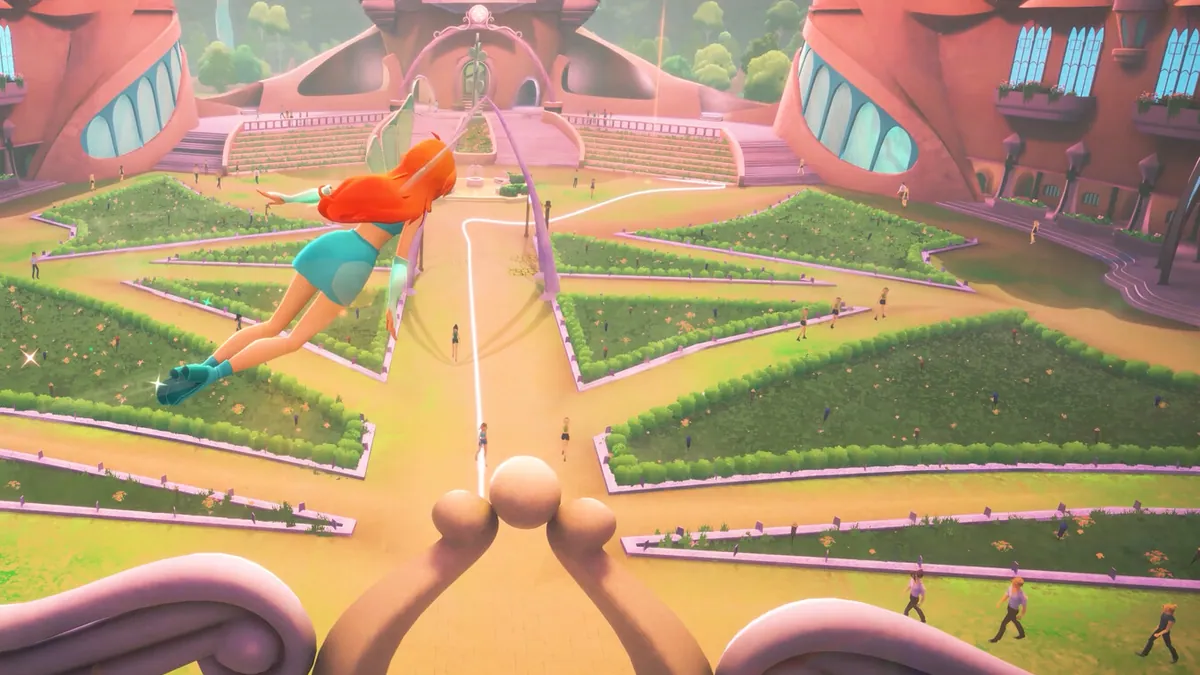
Hour 3: fight one pack, not the whole meadow
Combat footage shows ranged magic against purple shadow creatures. The safe beginner habit is to pull one group at a time:
- Approach from above so you can see how many enemies are in the area.
- Land at the edge of the group, not in the middle.
- Use your basic ranged attack to start, then dodge sideways rather than backwards. Backwards dodges often put you into another pack.
- If a fight goes badly, fly away. Open-world games rarely lock you into a random encounter.
Adjustable difficulty means you can lower enemy damage if a younger player is struggling. Do not grind early enemies for levels unless the game explicitly gates progress; we do not know whether it uses levels at all.
Hour 4: follow the Festival thread, but detour
The main story is about the Festival of the 100 Moons. Following it unlocks locations and characters. Detouring finds collectibles and teaches you the map. A healthy ratio in the first session is roughly 70% story, 30% wandering.
When you see a glowing object, pick it up. When you see a chest, open it. When you see a locked path, note it and move on. The game may gate collectibles behind story abilities, which is normal for the genre. The collectibles guide→ explains what to track and what not to waste time on before launch.
Do not try to 100% the first area before the story sends you elsewhere. Open-world games often introduce traversal upgrades later, and a collectible you cannot reach now may be trivial in two hours.
Hour 5: establish a return loop
Before you stop playing, do three things:
- Return to a hub. Alfea is the most likely hub. Check whether shops, quest boards or character conversations refresh.
- Spend your currency. If the game has upgrades, buy one early rather than hoarding. Early upgrades compound.
- Mark one goal for next session. A specific collectible, a side character or a story beat. Open-world games are better with a plan.
Also check the save system. Steam lists Steam Cloud, which suggests manual or automatic saves that sync between PCs. PlayStation has its own cloud saves with a subscription. Do not assume cross-save between platforms; it is not confirmed.
Five beginner mistakes to avoid
- Skipping the camera settings. A bad camera makes flight feel broken.
- Flying only at maximum altitude. You miss landmarks and landings become harder.
- Hoarding transformation. Practice it before the story demands it.
- Clearing every icon before moving on. You will burn out and may not have the right ability yet.
- Buying the game for a younger child without checking the rating. The tone looks family-friendly, but ratings are issued at release.
FAQ
How long is the tutorial? Not confirmed. The opening likely covers flight, transformation and a first fight. Give it 45-60 minutes and do not skip the movement practice.
Can I change difficulty later? Steam lists adjustable difficulty as a feature, which usually means a menu option rather than a one-time choice. The exact behavior is not confirmed.
Do I need to play another Winx game first? No. Moonlight Quest tells its own Festival story with Bloom as the lead. Prior games are not required.
What should I do first in the open world? Practice flight near Alfea, then follow the Festival thread. Pick up collectibles you pass, but do not clear the map before the story opens it up.
Sources
- Winx Club - Moonlight Quest on Steam ↗ — features, controller support and adjustable difficulty.
- PlayStation Store listing ↗ — PS5 and PS4 release details.
- Balio Studio ↗ — developer background.
- Official announcement press release ↗ — open-world and flight premise.
Official source: store feature list checked November 17, 2026. Tutorial length and difficulty behavior are not officially confirmed.